Calculate your CUET UG score.
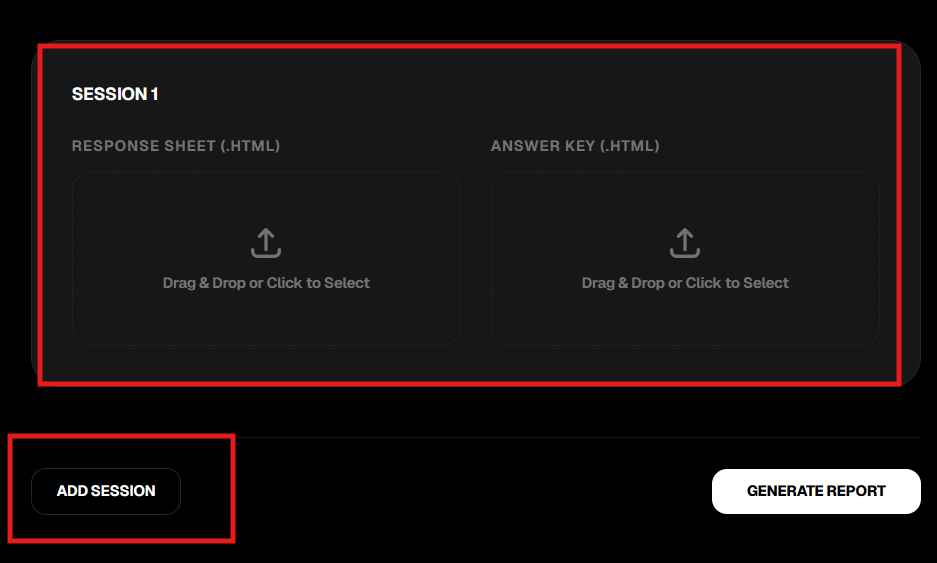
Select or drag-and-drop your HTML response sheets and answer keys below.
Session 1
EVALUATION SCHEMA
DEVELOPMENT INFO
If this evaluator helped you, please consider starring the repository. It keeps the project active and helps other students find it!
Star on GitHubStep-by-Step Guide
How to download your documents.
01. Visit NTA Portal
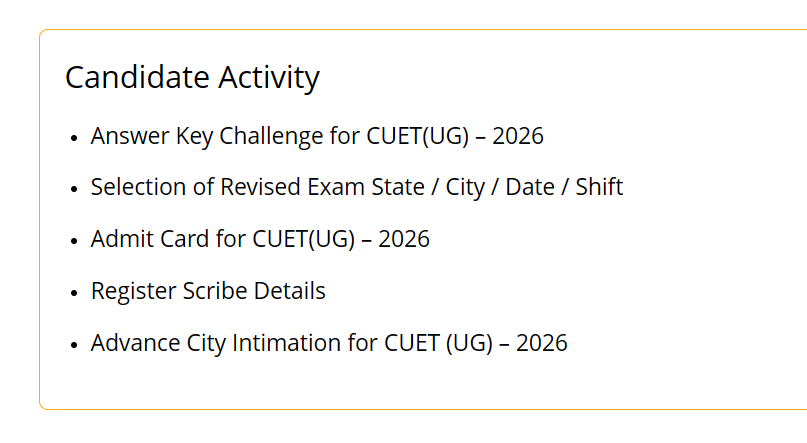
Visit cuet.nta.nic.in and click on "Answer Key Challenge for CUET(UG) - 2026".
02. Authenticate
Login with your credentials.
03. Locate Documents
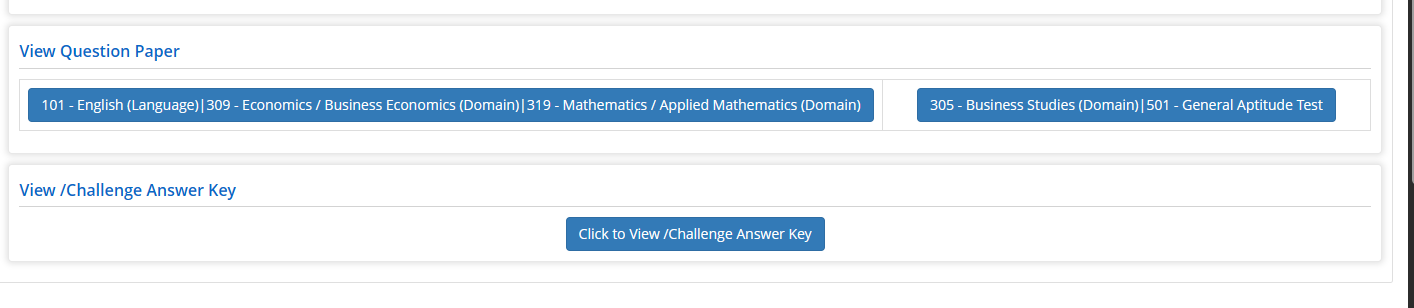
View question paper is your response sheet, you have them based on sessions you attended and View/Challenge answer key is your answer key.
04. Save Response Sheets
Let's start with the question paper: open one of them (session based) and save it with Ctrl + S as an HTML file (don't forget to rename it to remember what it was else it gets confusing). Do it for the rest of the response sheets too if you had multiple.
05. Save Answer Keys
Then comes the answer key, click on it as well, select your test paper, press Ctrl + S to save it, then change your test paper as per your shifts, then press Ctrl + S to save it.
06. Upload & Calculate
Use add session to add the sessions as you had attended, carefully upload the response sheets and answer keys respectively, and click "Generate Report".